
This March, we are excited to launch passkey support. Additionally, based on the feedback we’ve received from our Report Builder Beta users, we have improved the Report Builder 2.0 experience. These updates are scheduled to go live on 3/26/2025 at 3 PM ET. Click here to see the time in your timezone.
Passkey Login
For sites with the appropriate packages, administrators can now enable passkey login for their site under General Settings → Security. When enabled, users can sign in using biometrics (fingerprint, Face ID) or a hardware security key instead of a traditional password. Administrators can also reset a user’s passkey from the User Manager if the user is locked out or needs to re-enroll.
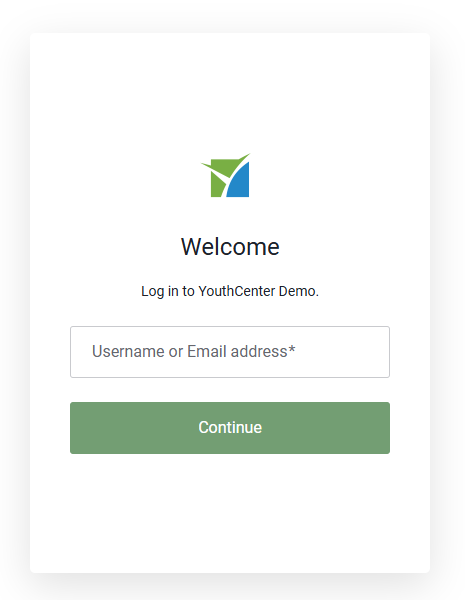
As a reminder, login is now a two button process instead of one for users using username and password. You will first be asked to enter your username or email address, and then after pressing continue, then you will be taken to either your passkey or password login check.
Read more about Passkey login here
Enabling Passkey Support
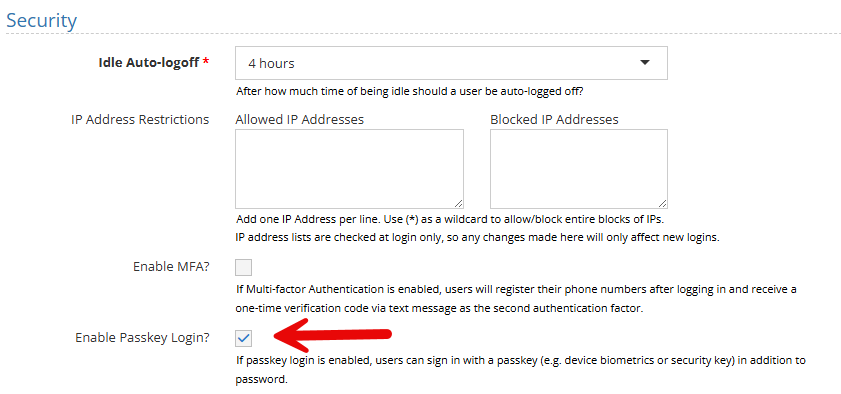
To enable passkey login, expand Administration → Site Settings
Under the General Settings → Security, check the Enable Passkeys Login checkbox and press save.
Enrolling a Passkey Device
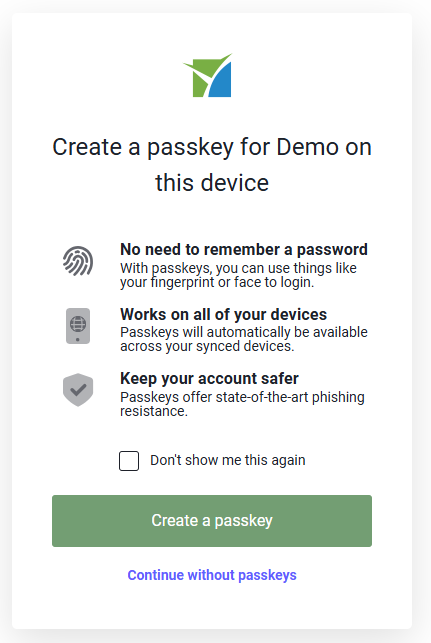
When logging in, a new screen will appear asking the user if they would like to create a passkey.
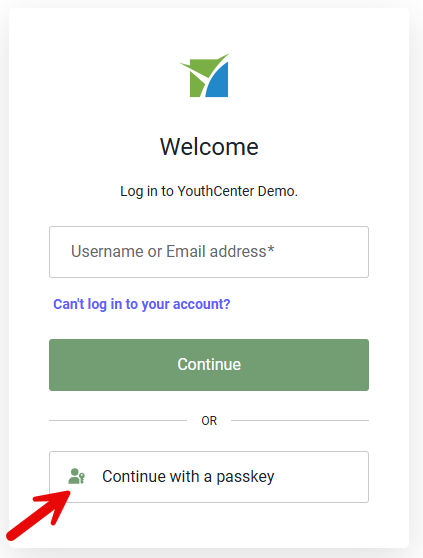
Once created, the user can use the login with passkey option on the login page:
Removing or Resetting a Passkey
If someone loses access to their passkey, you can revoke their passkey by editing their user in User Manager. Simply select Reset Passkey in the top right.
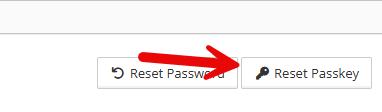
This will remove their associated passkey, and they will need to log in with their username and password again, at which point they can enroll a new passkey device if desired.
Multiple Court Case Occurrence Selection
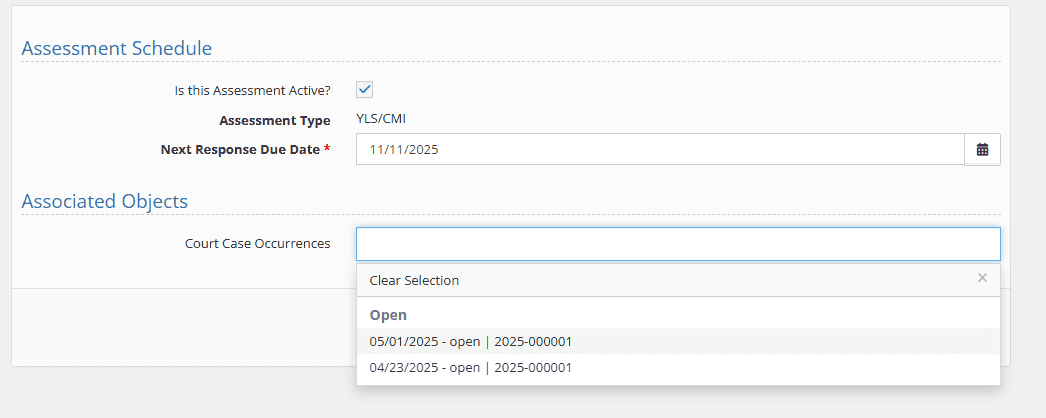
Users can now associate a single record (such as an assessment or placement) with multiple court case occurrences at once. The selection control now displays both the occurrence date and case number, making it easier to identify the correct entries. This eliminates the need to create duplicate records for each petition.
Additional Customization of Built-In Forms
Administrators now have expanded control over which fields appear on key forms throughout the system. Using the Built-In Forms Editor, you can show or hide more fields on Client Profile/Demographics (identification, birth/adoption, appearance, language fields and more), Client Contacts (phone numbers, addresses, and related fields), and Facility Placement Intake (police report, charges, preliminary hearing, and contact fields).
For instructions on turning on or off fields for built-in forms, please visit our help site: Admin: Display control of fields in Built-in Forms – YouthCenter Docs
Report Builder 2.0 – Interface Improvements
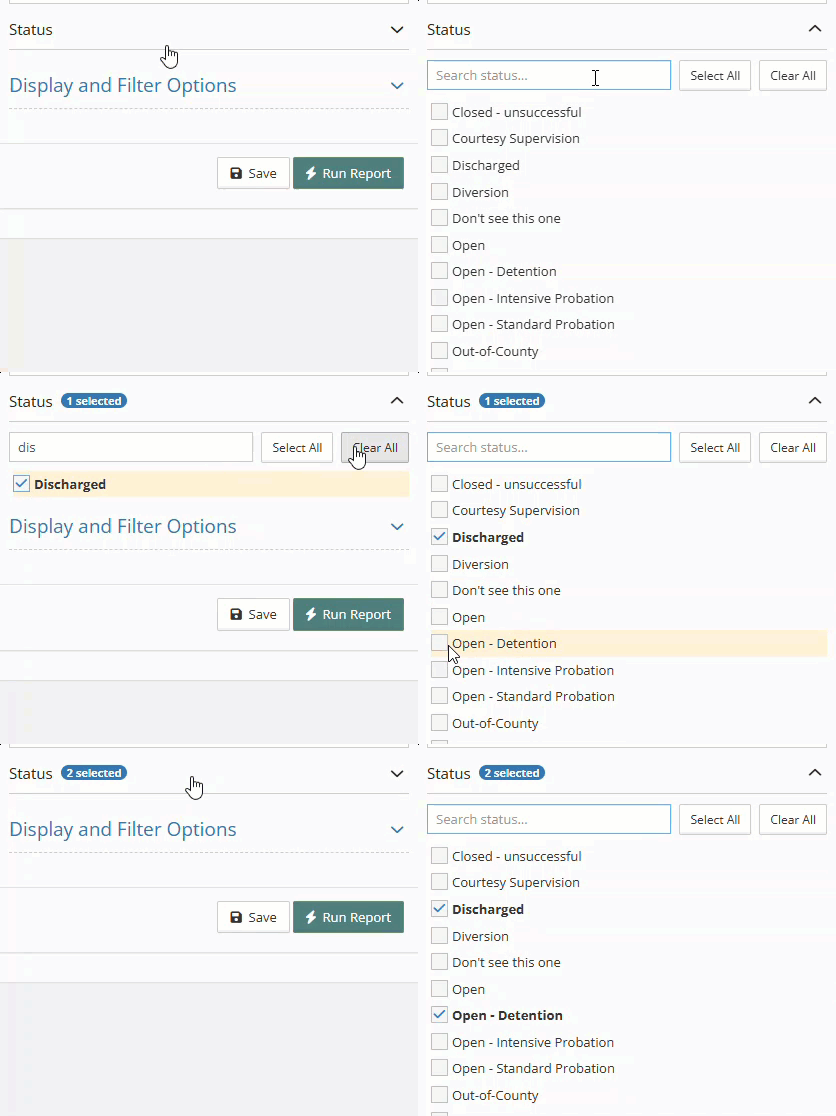
Accordion-Style Filter Panels: Filters with many options (such as lists with 100+ items) are now organized into collapsible accordion sections with a built-in search bar, making it much faster to find and select the options you need.
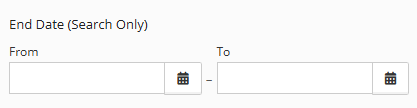
Side-by-Side Date & Number Range Filters: The “From” and “To” fields for date and number range filters now display side-by-side instead of stacked vertically, giving you a clearer view of the full range and reducing scrolling in the filter panel.
Sticky Results Header: The filter summary and Export CSV button now remain visible at the top of the screen as you scroll through report results, so you always know which filters are applied and can export at any time.
Narrower Filter Panel: The filter panel width has been optimized to give more screen space to your report results while keeping filter controls comfortably readable.
Increased file upload size
Standard file uploads now support up to 100 MB by default. If you need larger file uploads, please contact support.
Client GUID available in Reports
Per your data analysts’ requests, we have added the Client GUID to the available fields in reports. This allows data analysts to use an unchanging number to track cases over time, regardless of whether names, dates of birth, or other typically unchanging info are modified.
Providing Feedback
Your experience helps shape YouthCenter. Whether you’re a caseworker, JPO, or administrator, your ideas guide our growth. Please feel free to share your feedback or new ideas through our form (linked here)—we look over all submissions every two weeks.