
This February, we are excited to show off our first sneak peek at the new report builder 2.0. Additionally, we’ve improved tracking of multiple court case types. As we look ahead to the year ahead, we plan to continue making progress in bringing all YouthCenter modules into the new interface. These updates are scheduled to go live on 2/1/2025 at 11 PM ET. Click here to see the time in your timezone.
Report Manager 2.0 (Opt-In Beta)
After several months of work, we are excited to launch the report manager in the new interface. The options will be remarkably similar to the legacy report manager for now, but will expand capabilities and improve speed in the future.
To try it out for your organization, please contact [email protected]
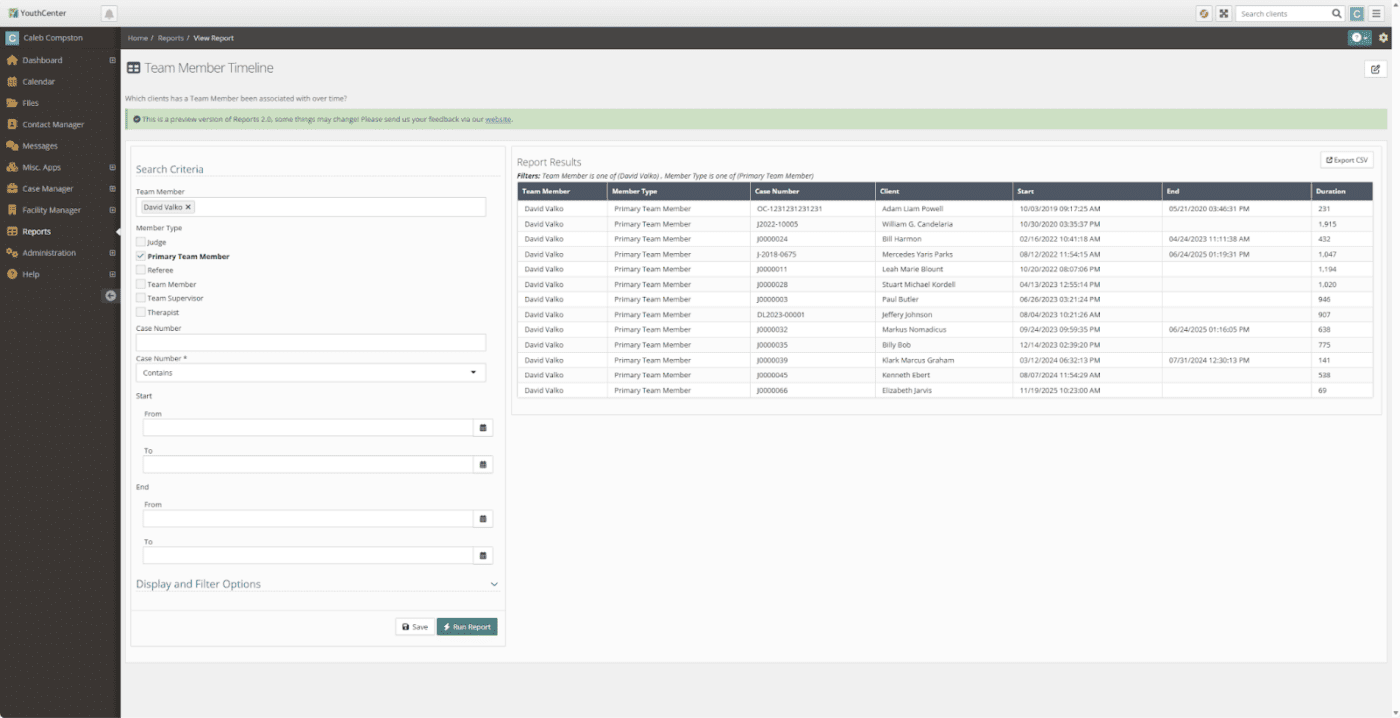
What is the rollout plan for Report Manager 2.0?
February – March: Organizations may opt in to the Report Manager 2.0 beta
April: All organizations will have access to the Report Manager 2.0
October: Legacy Report Manager will be sunset
What is the difference between Legacy Report Manager and Report Manager 2.0?
Primarily, the reporting functions should function similarly for now. There are speed and usability improvements in Report Manager 2.0 that should deliver a better experience for users.
What are the long-term goals for Report Manager 2.0?
We have received significant feedback on reporting and have many ideas to improve the system overall. One of the next priorities is to reduce the number of data sources to make reporting even easier.
How do I get started with the new Report Manager?
After you email [email protected] and ask them to turn it on for you. You can access the new report builder by clicking on a report in the Reports list. Additionally, if you select the carot menu next to a report, you can edit an existing report in the new system:
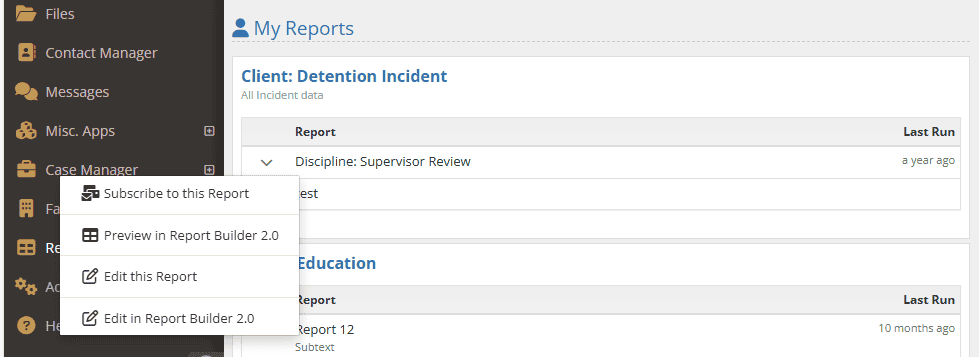
IMPORTANT Note: Reports are shared across the legacy and the new interface. Editing it on either the legacy or the new interface will change it in both areas.
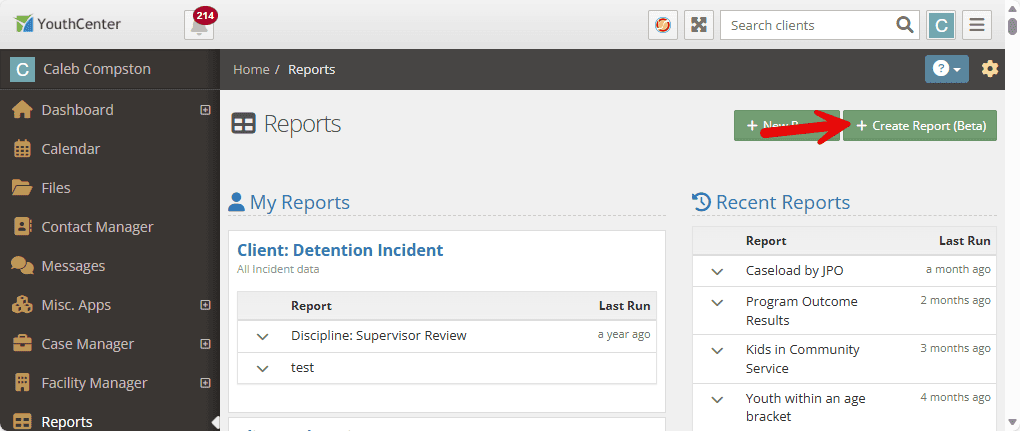
To create a new report in the beta, select the green + Create Report (Beta) button in the top right of the Reports screen.
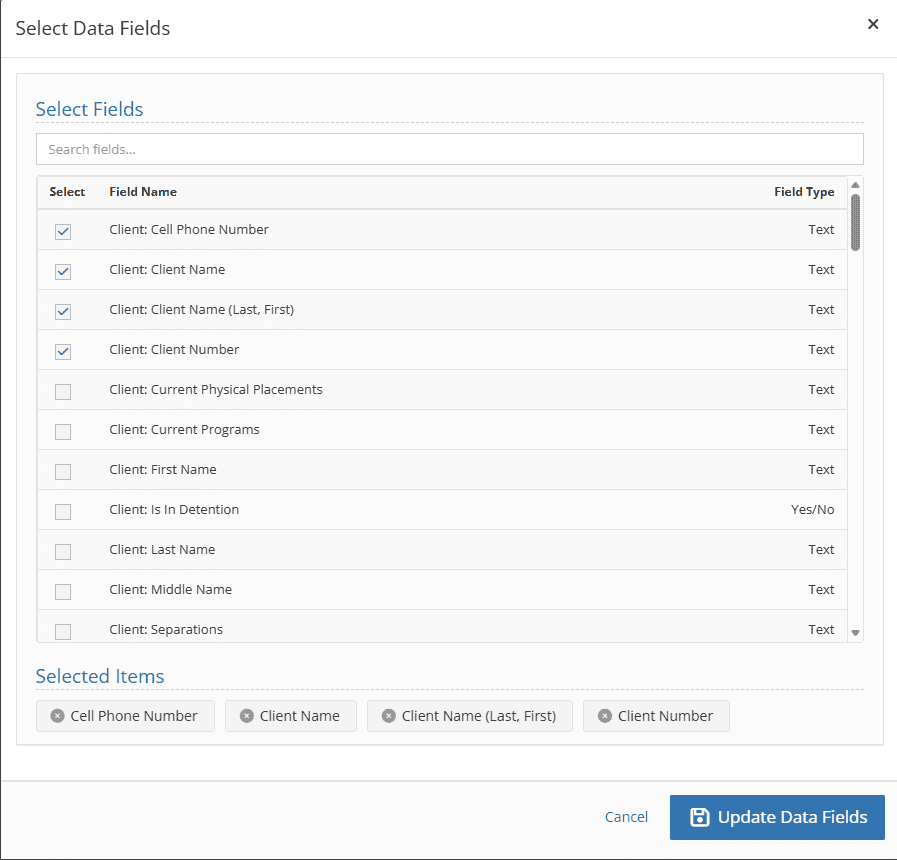
Data fields are now easily searchable, and you can quickly add or remove fields directly from the field editor:
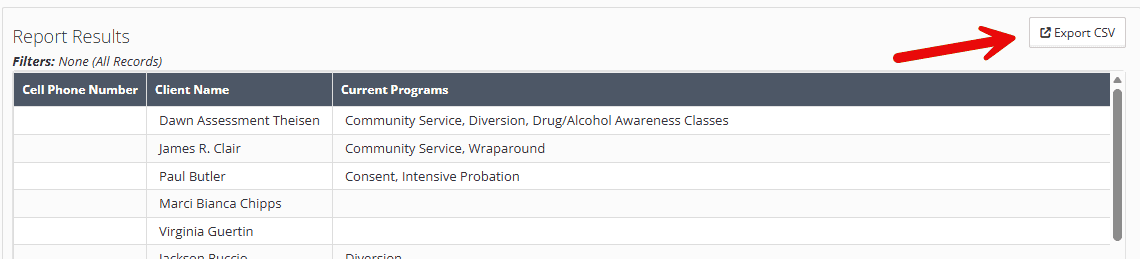
Any report you run can be exported immediately as a CSV! No need to change the report; simply select the export CSV button in the top-right corner of the report.
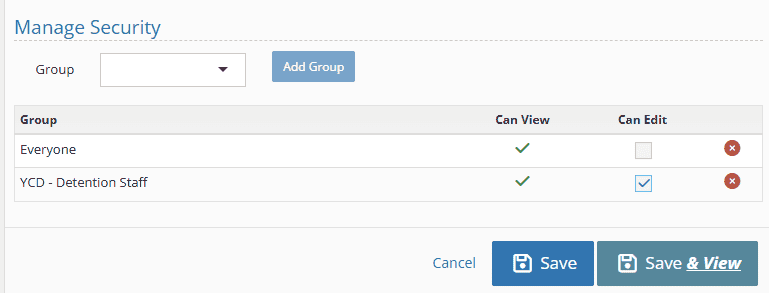
Managing report security is now easier! When editing a report, simply add the group (s) you want to have access to the report directly in the edit form!
Multiple Court Cases
YouthCenter can now track multiple court cases with ease.
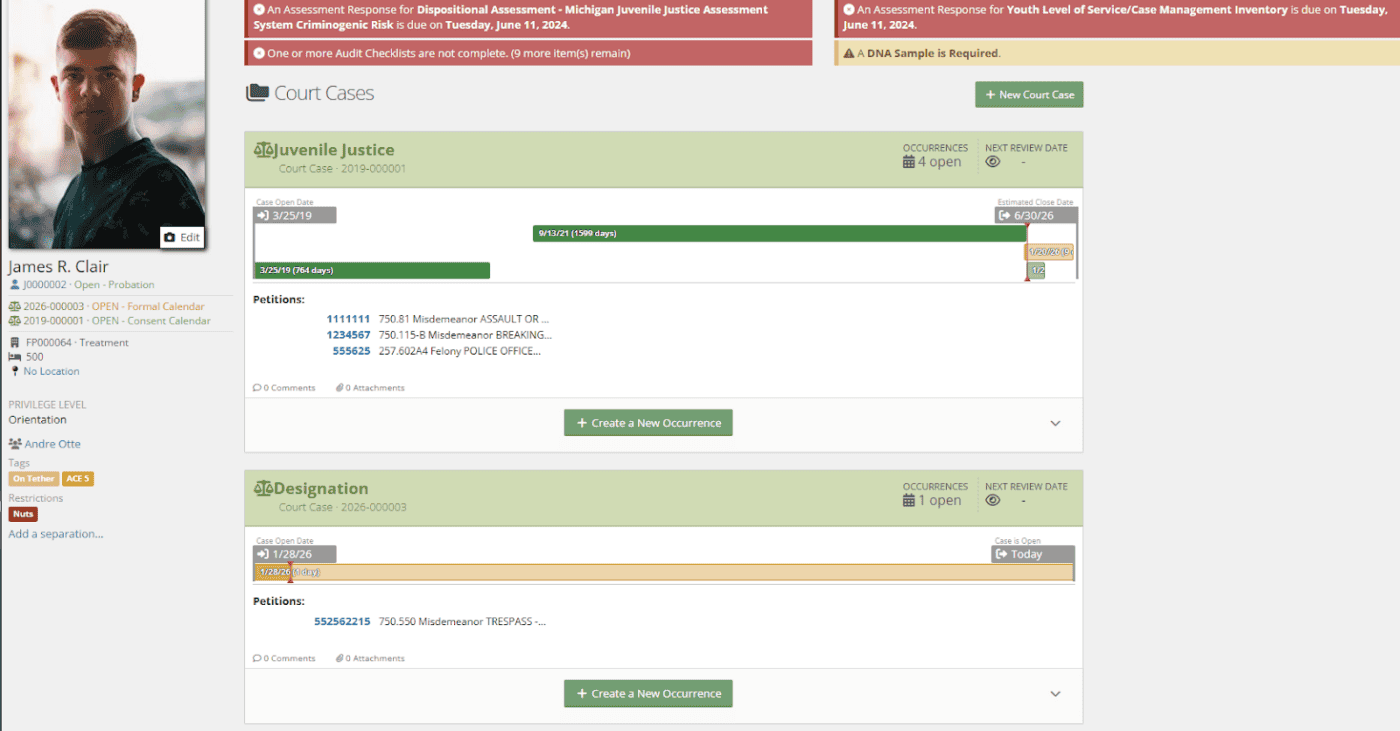
To create an additional court case, simply select the green + New Court Case button in the top right. You can add occurrences and petitions to any open court case.
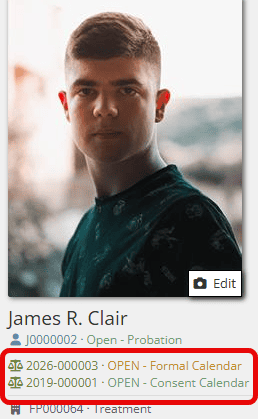
If your youth has multiple court cases, you will be able to see them listed in the top left underneath their profile image:
Important to note:
As you begin using multiple court cases, some of your reports may list the youth more than once. This may happen especially with the CASE: data sources. This is intentional to enable you to extract data for each court case separately.
Medication Schedules
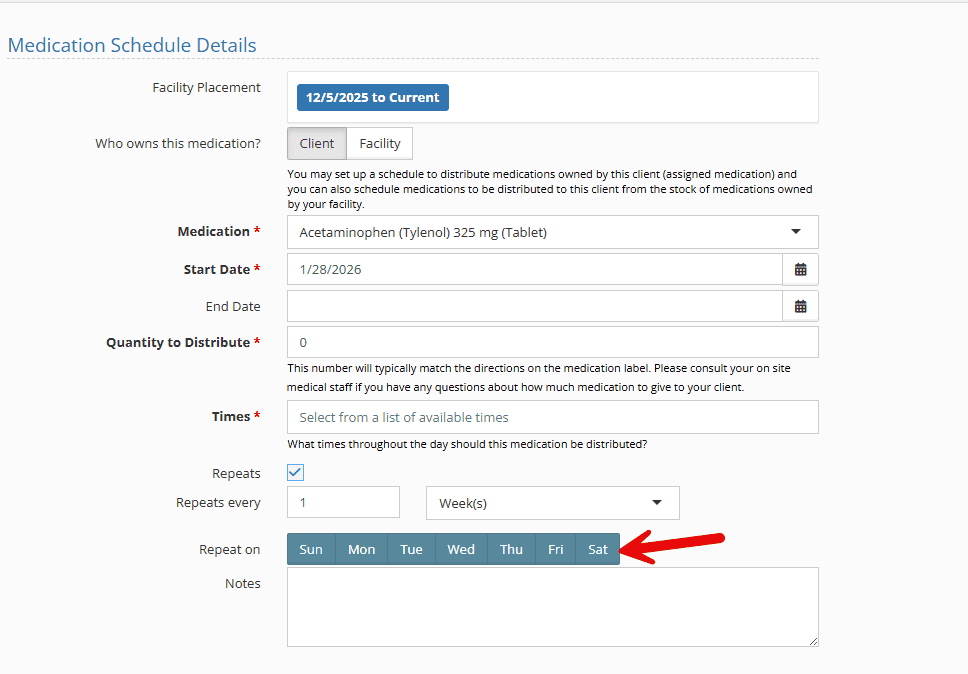
Medication schedules now allow for medications to be distributed on select days of the week. When creating or editing a medication schedule, you can now select the recurrence, similar to how you would schedule a calendar event. The Medication widget has also been updated to handle the new scheduling options!
SafeGuard Speed Improvements
SafeGuard images have been optimized for speed, and applications like meal counts and movement should load more quickly. Thank you to everyone who assisted with testing and providing feedback on the speed improvements.
Keep providing feedback!
Your experience helps shape YouthCenter. Whether you’re a caseworker, JPO, or administrator, your ideas guide our growth. Please feel free to share your feedback or new ideas on our Feature Suggestion form. We review all submissions every two weeks.