
May was packed with updates. May’s release brings many quality-of-life improvements designed to save your staff time and reduce the small frustrations that add up across a busy day. From smarter dashboard widgets to more flexible program placements, here’s everything new in YouthCenter.
Clients in Facility Widget – Additional Options
The Clients in Facility dashboard widget now supports two additional data columns: Charges Detained On and Reason for Intake.
Detention staff can add these as optional, sortable columns to get a more complete picture of each youth’s placement at a glance.
Visitation Widget – Canceled Visit Filtering & Date Range Control
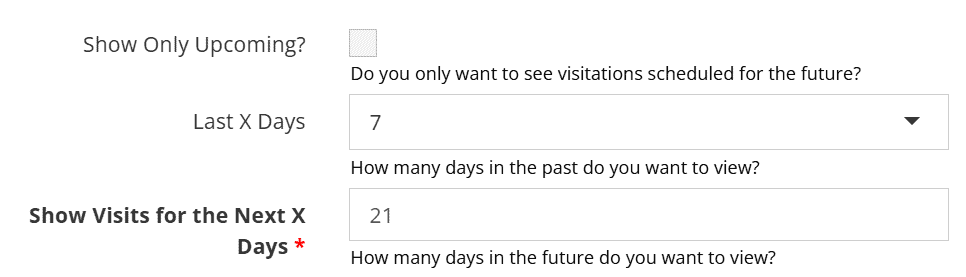
The Visitation widget has been updated with two improvements: canceled visits are now automatically hidden from the list, so staff only see active, upcoming visits, and a configurable date range control (0–21 days) allows you to focus on the window of visits most relevant to you.
Reports 2.0 enabled date for all sites
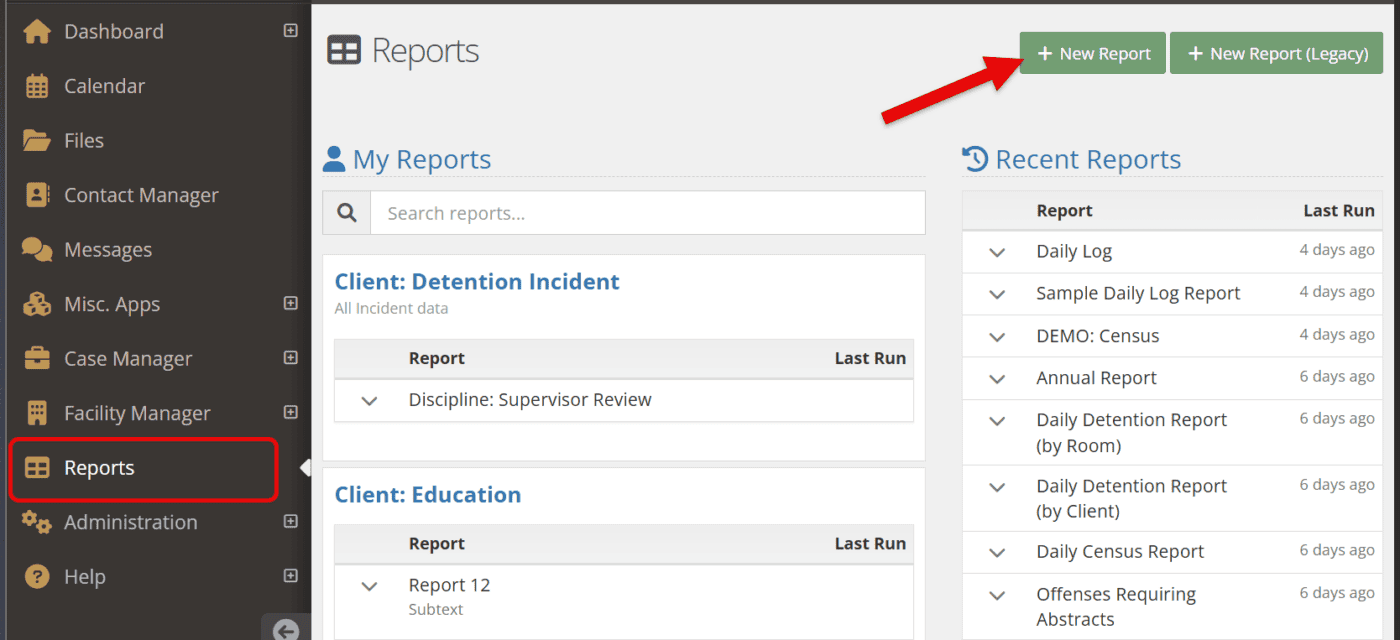
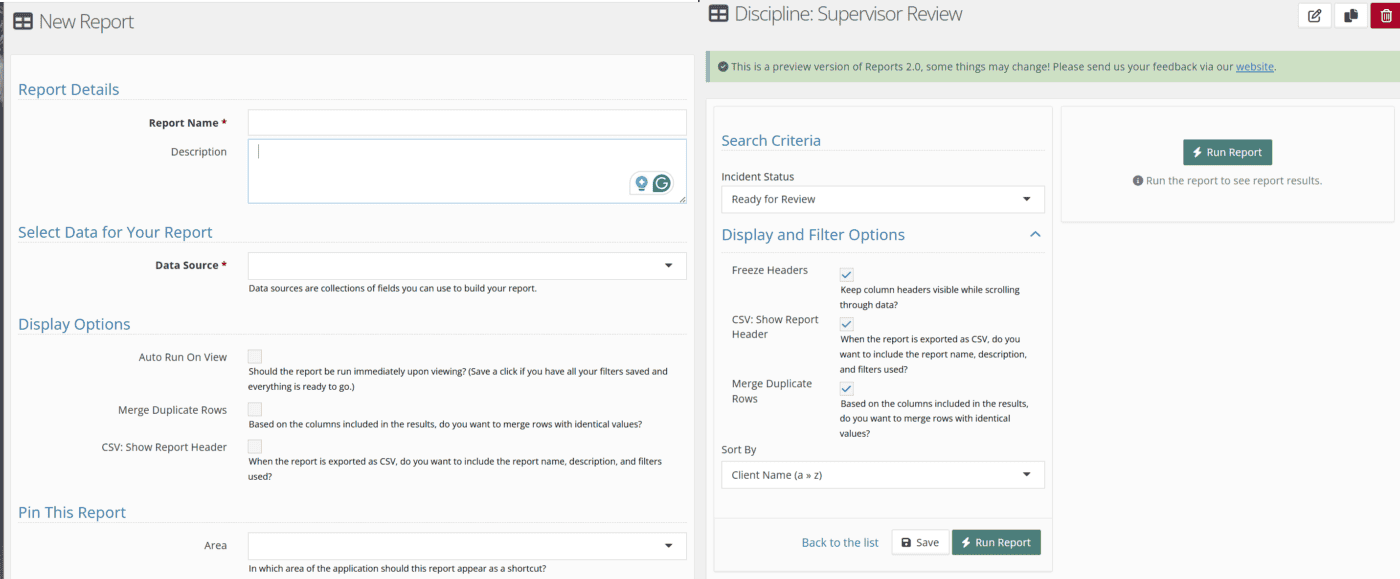
Thanks to everyone who has submitted suggestions for improvements to the new Reports 2.0. We will be turning it on as the default for all sites on Thursday, June 11th. We have full documentation on our documentation site: Reports 2.0 – YouthCenter Docs.
If you want, you can still access the legacy reports via the button in the top right until September 2026, when the legacy module will officially be retired.
TCN added to petitions
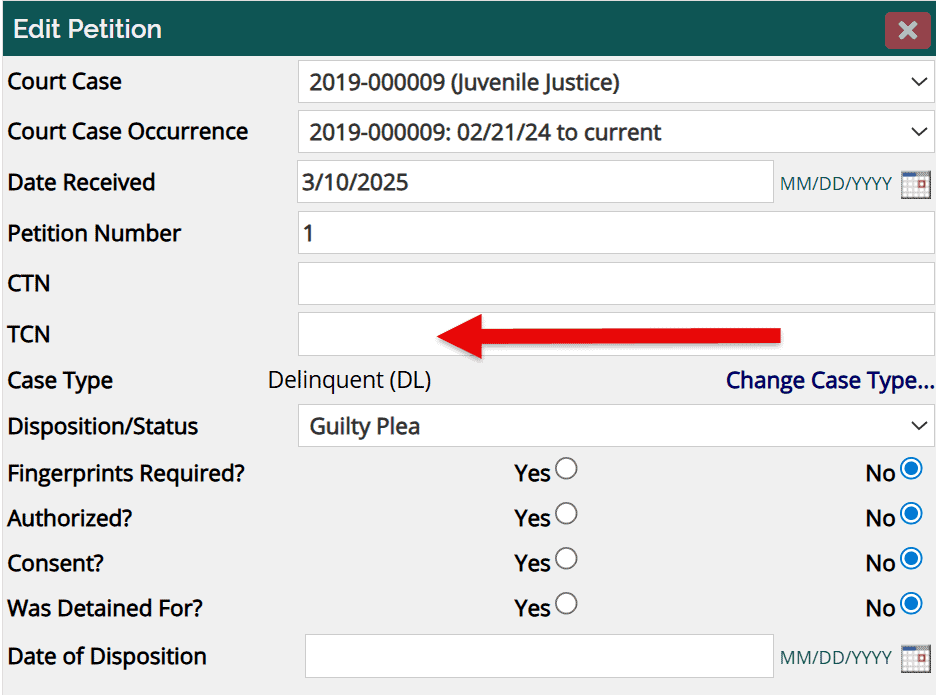
The TCN has been added as an option for tracking with petitions.
You can add TCNs to new or existing petitions and also report on them if needed.
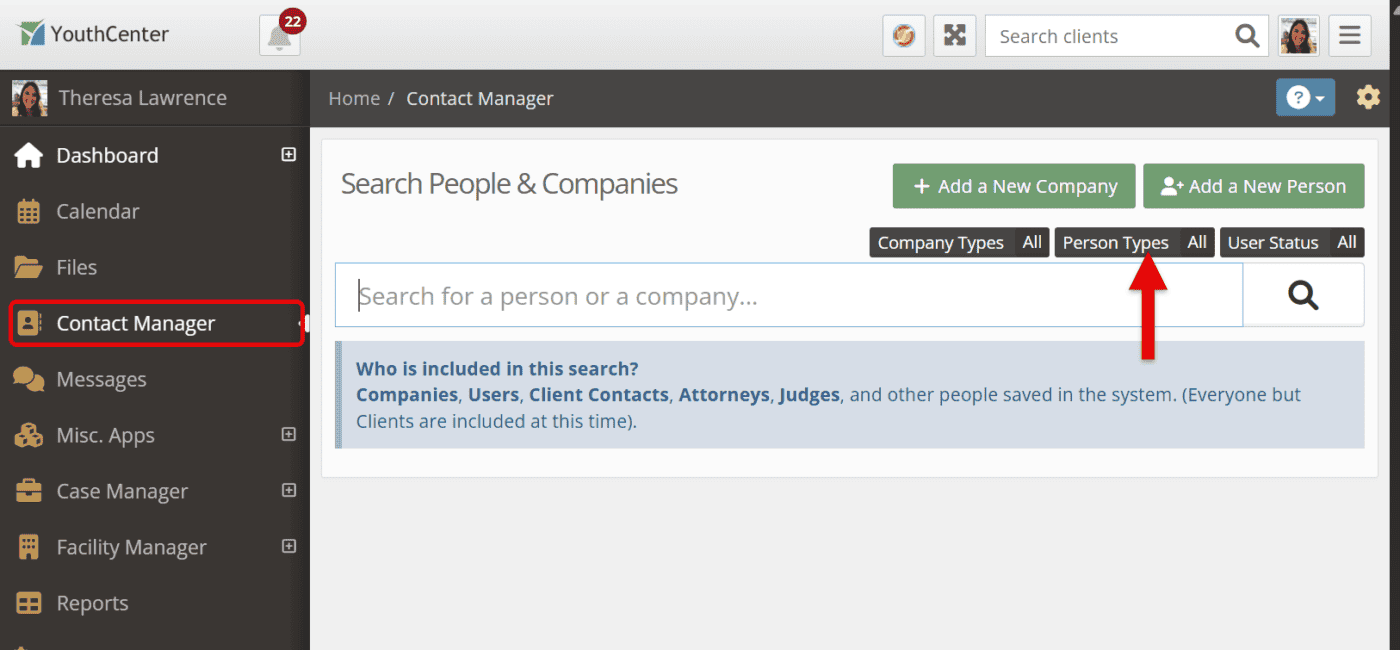
New Contact Manager Search Types
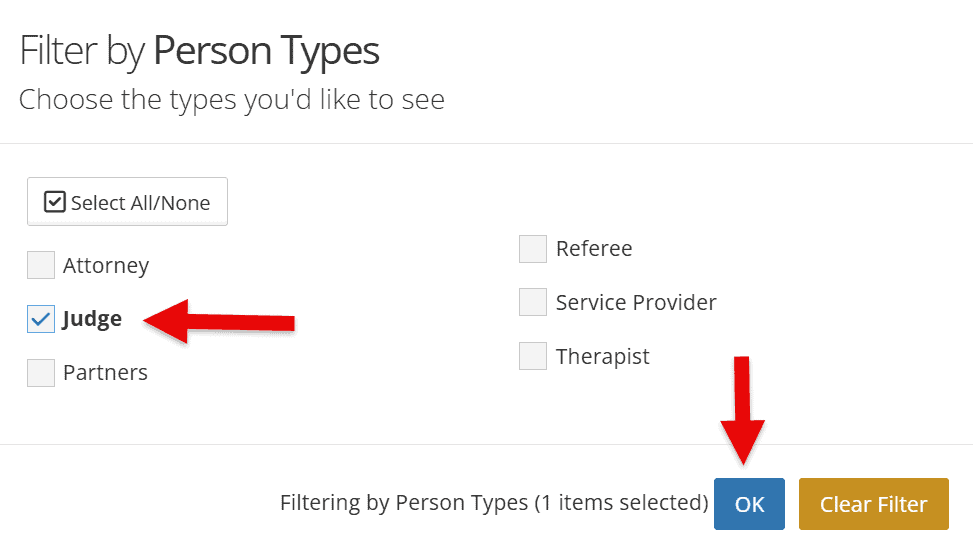
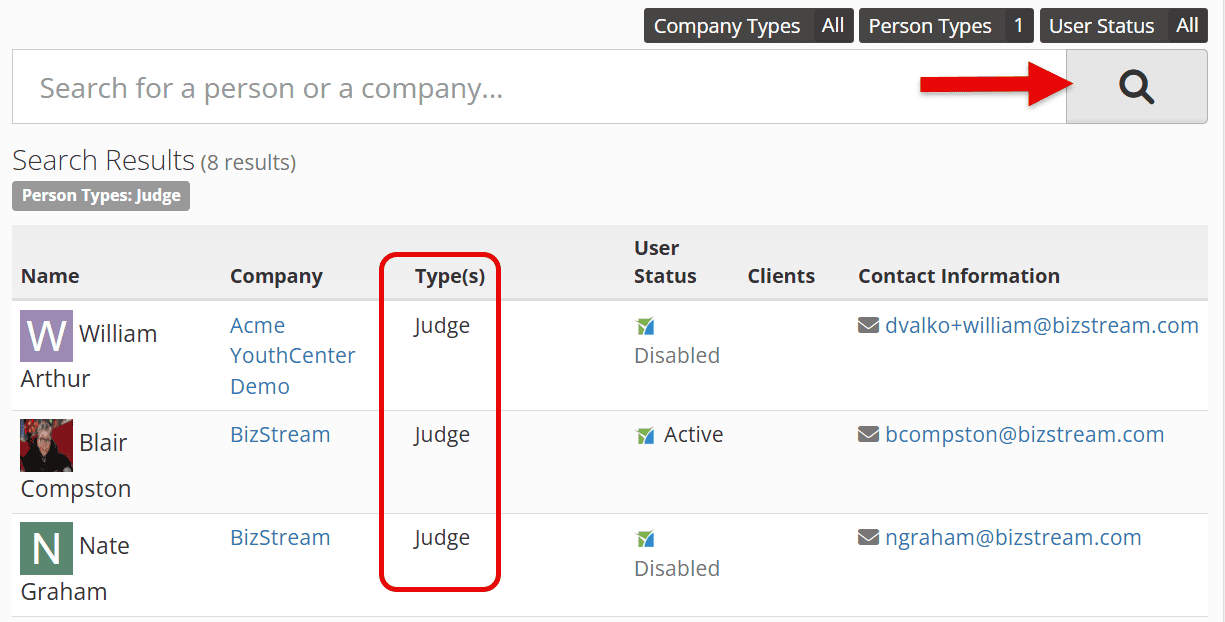
Want to see a list of all your judges in the system?
We’ve added the ability to quickly get a list of all contacts by type.
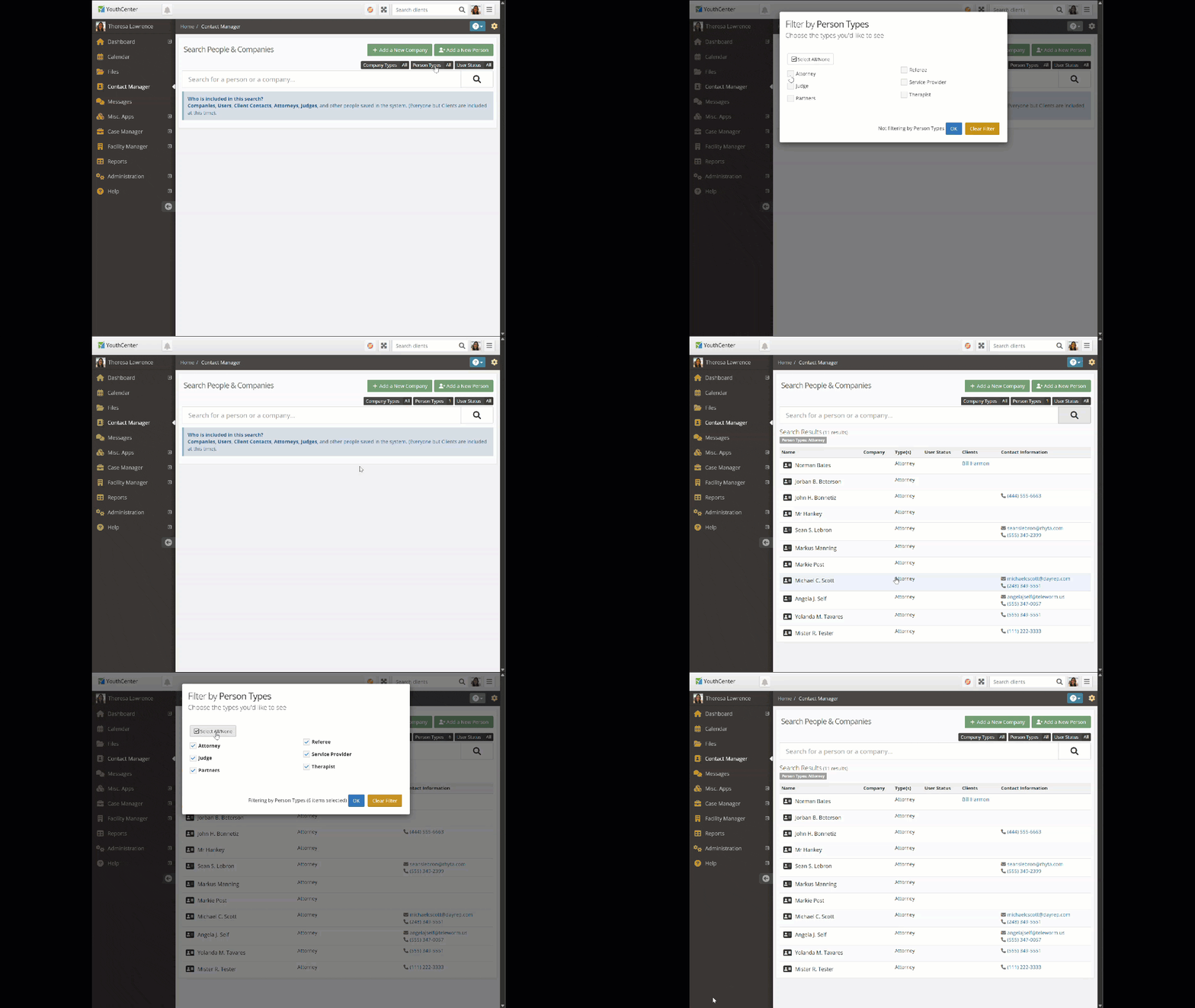
Simply select the Person Types filter, select the type(s) of contacts you want to list, and press search!
Quiet Mode in YouthCenter
In areas like assessments, where things are autosaved, we’ve added the option to turn the alert chimes on or off. From any page, select the yellow gear icon in the top right:
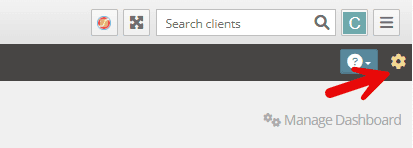
And select the Play Sounds option

Intake Dates on Program Placements are now Optional
We’ve updated Program Placements based on your feedback!
Previously, every Program Placement required an intake date before you could save it. That’s no longer the case. You can now track a Program Placement referral from the moment it starts, with no intake date required.
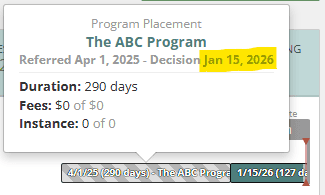
A checkered bar will be a quick visual indicator that a placement hasn’t progressed past the referral yet.
Assuming the youth is placed, the normal teal color bar will be added after that (see example below)
Attorneys Associated with Multiple Petitions
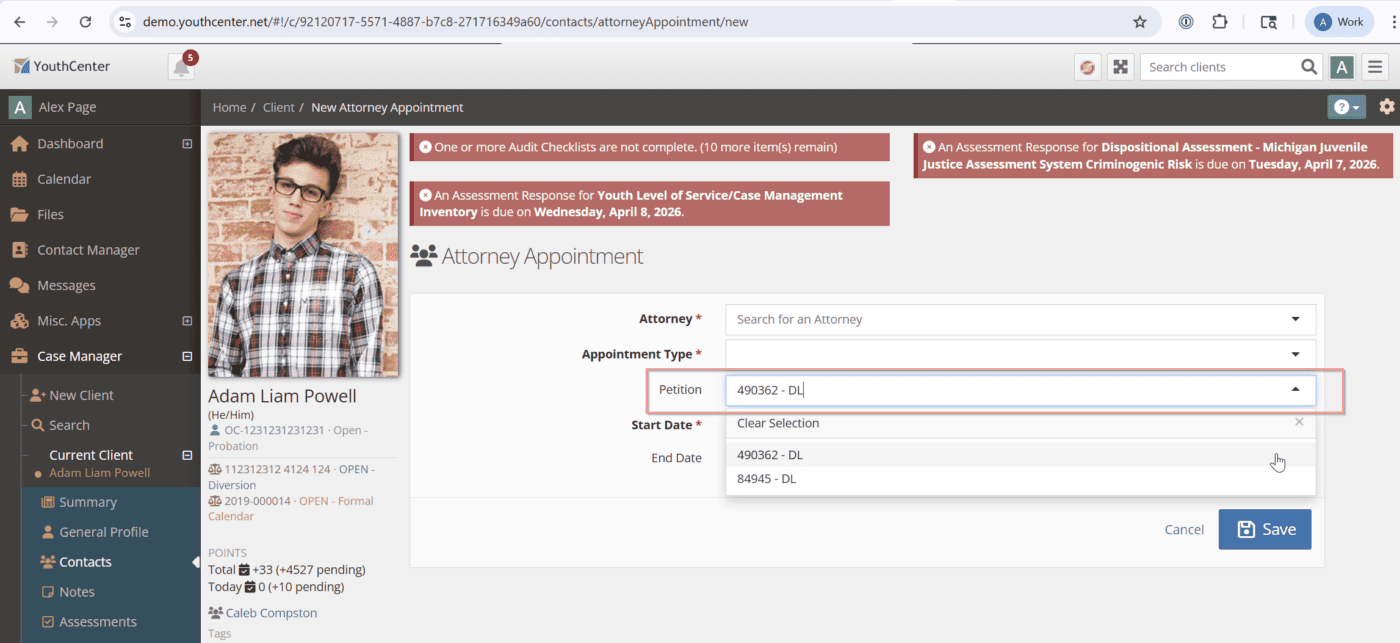
Attorneys can now be associated with multiple petitions rather than just one.
Simply select the petition box and type or select which petition you wish to include!
Attorneys show clients in Contact Manager
You can now view which clients an attorney is representing directly from the Contact Manager, making it easier to confirm you have the right contact when searching.

Your Feedback is Appreciated
Most of these features were implemented in response to your feedback. We read and discuss every suggestion submitted. While we can’t implement every idea, we remain committed to being a product for case managers, built by case managers. Please continue to send us your suggestions via our form here.