October was a busy month for YouthCenter. We shipped four updates packed with reporting improvements, dashboard flexibility, and quality-of-life fixes, and the next update is already lined up with some of the most-requested features of the year. Here’s a look at what’s coming and a recap of the October updates.
Reminder: the legacy version of YouthCenter will be turned off on Monday, November 16, 2026. After that date, the old screens and reports reached through the “Go to the old dashboard” button will no longer be available. If anyone on your team still relies on a legacy screen or report, please contact [email protected] before then so we can help you move it over.
Coming in the next update
Address suggestions everywhere you enter an address
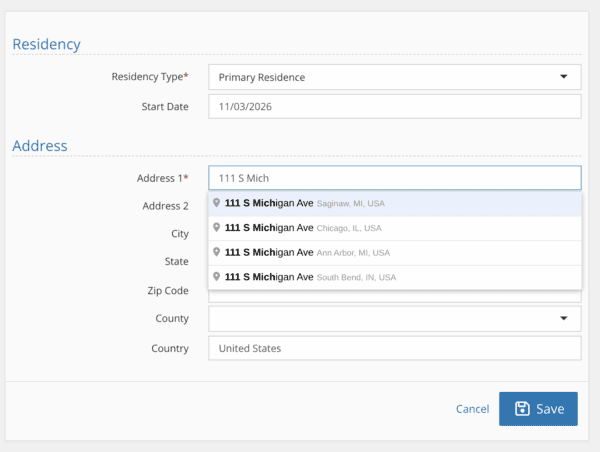
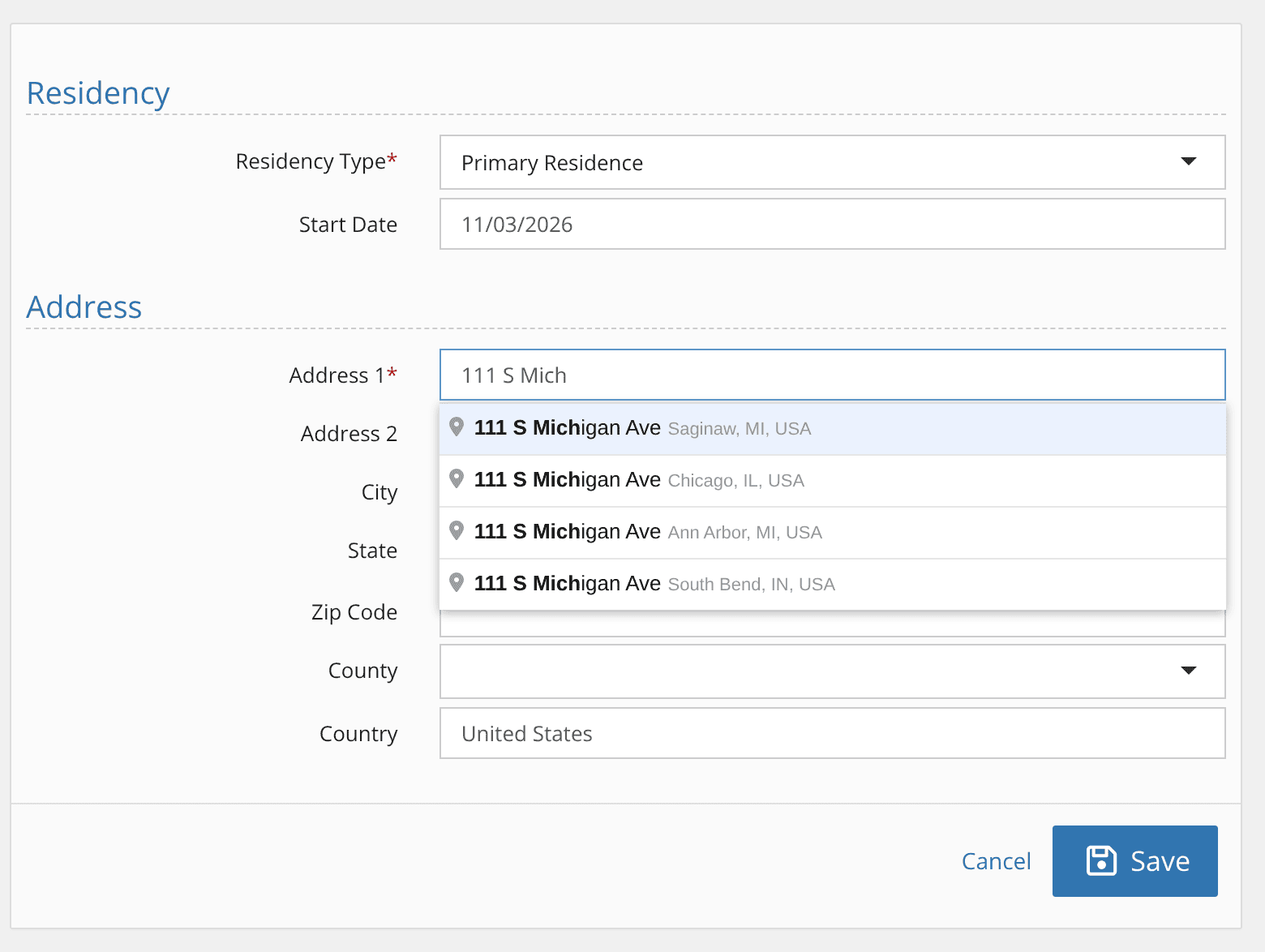
Start typing in the Address field and YouthCenter now suggests matching U.S. addresses. Pick one and the street, city, state and zip code fill in for you, along with county and country on screens that have them.
Formatting in client notes
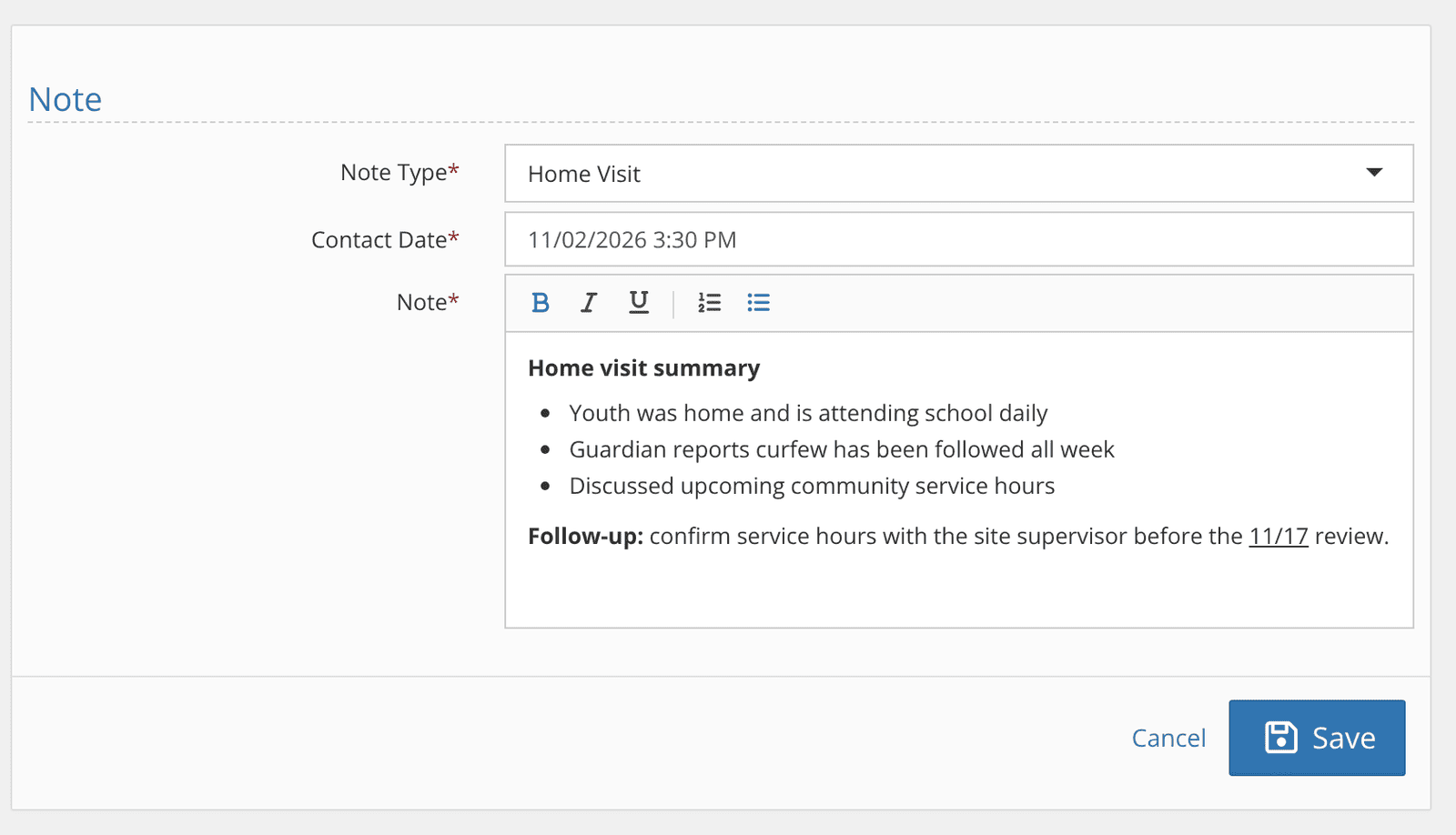
Client Notes now have a simple formatting toolbar: bold, italic, underline, numbered lists and bulleted lists.
A home visit summary or a list of follow-ups is easier to write and much easier to read later.
Your existing notes carry over unchanged, and searching and filtering notes work just as they do today.
Additional Client Identifiers
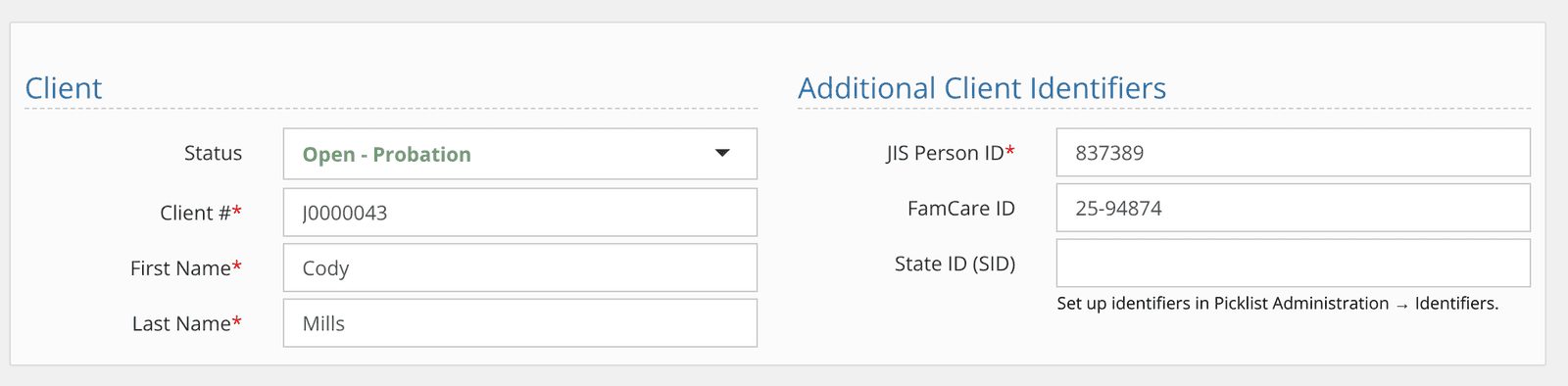
Many agencies track numbers from other systems alongside the YouthCenter client number: a JIS person ID, an ALTAC ID, a state ID.
Administrators can now define those identifiers once in Picklist Administration and choose where they appear: on the client profile, court cases and facility placements.
Each identifier can be marked required, and reports gain an Additional Identifiers field that lists them together.
Smarter Score Totals: averages and sub-scores
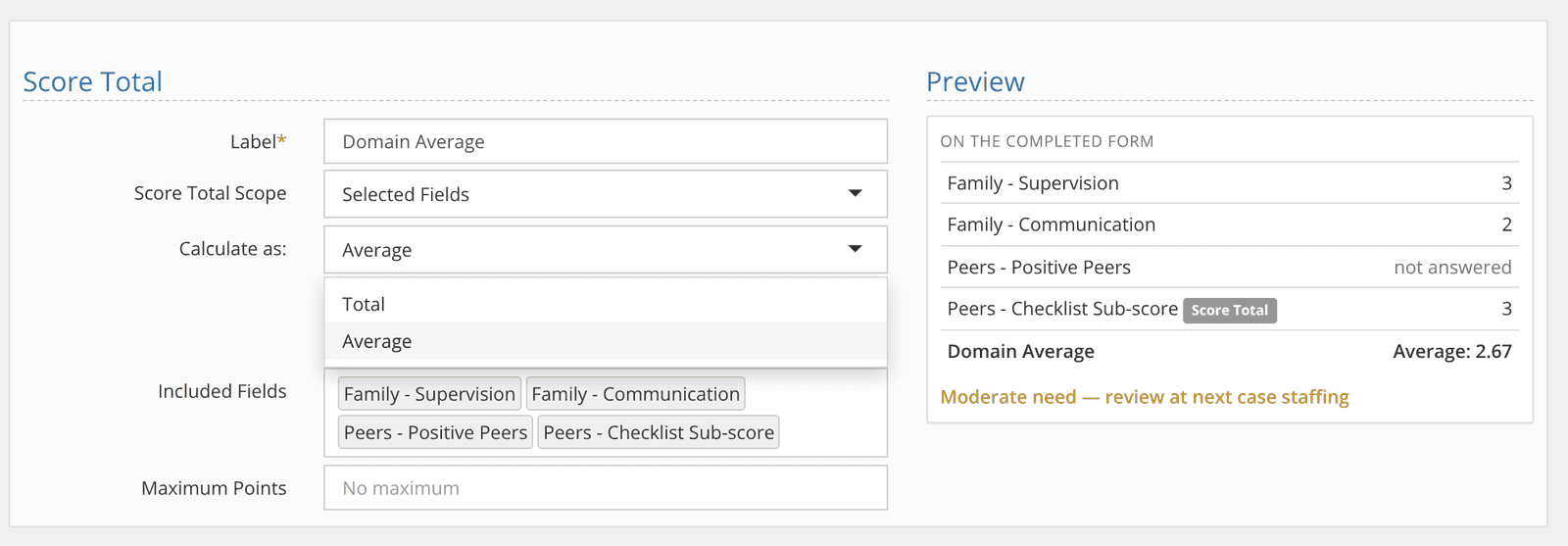
For anyone building assessments in Form Administration, Score Total parts get two upgrades.
First, a new Calculate as setting lets a Score Total show an Average instead of a Total, for instruments that score a domain as the mean of its items. Unanswered items are excluded, so a blank item doesn’t drag the average down.
Second, a Score Total can now include other Score Totals, so a checklist sub-score can roll up into a larger domain score. Interpretation rules work with averages too.
October highlights
Arrange dashboard widget columns your way
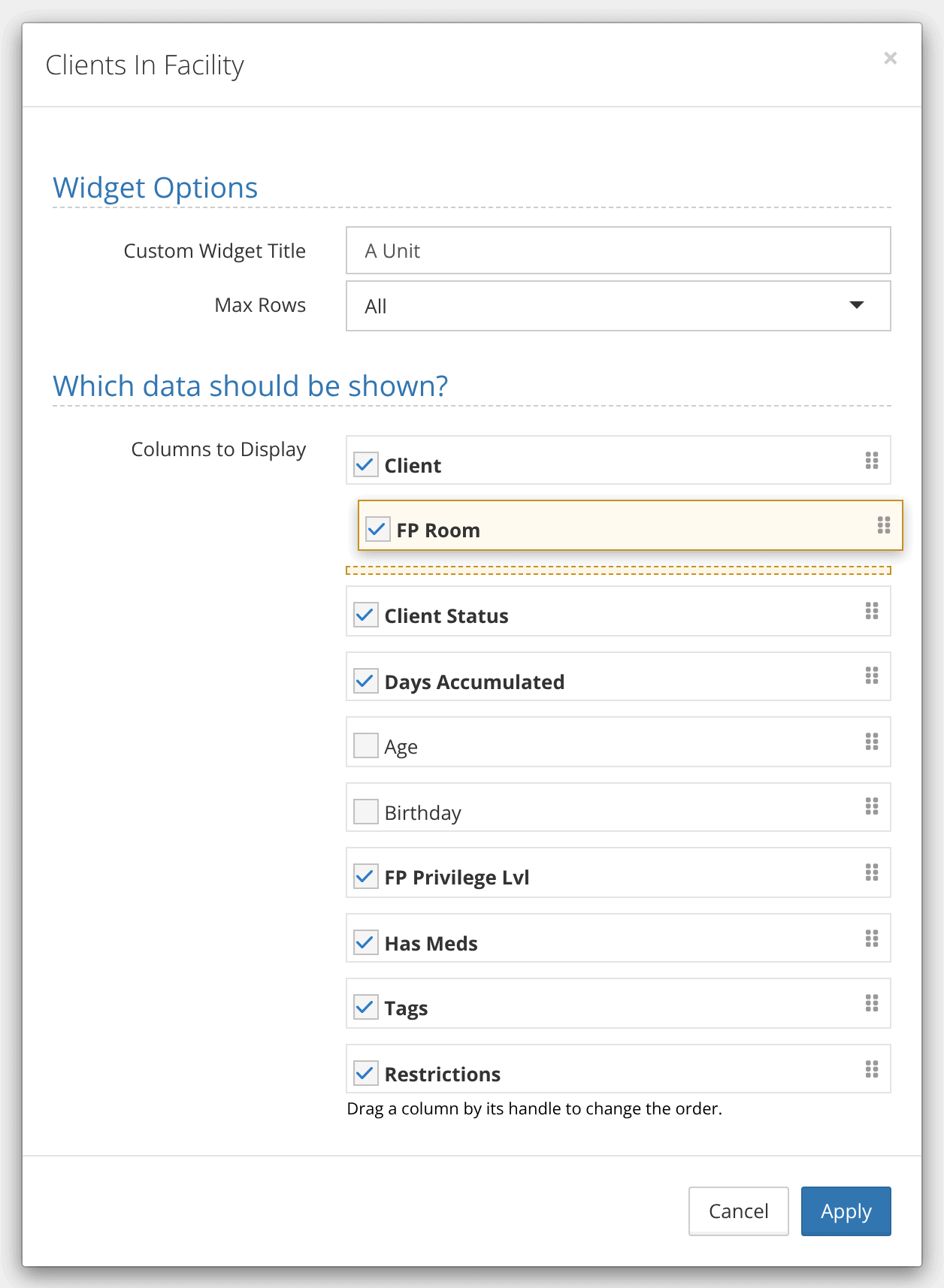
Dashboard widgets now let you set the order of their columns, not just which ones show.
Open a widget’s settings, then drag columns by the handle into the order you want.
Your order is kept when a dashboard is copied to a new user.
Report subscriptions in Excel
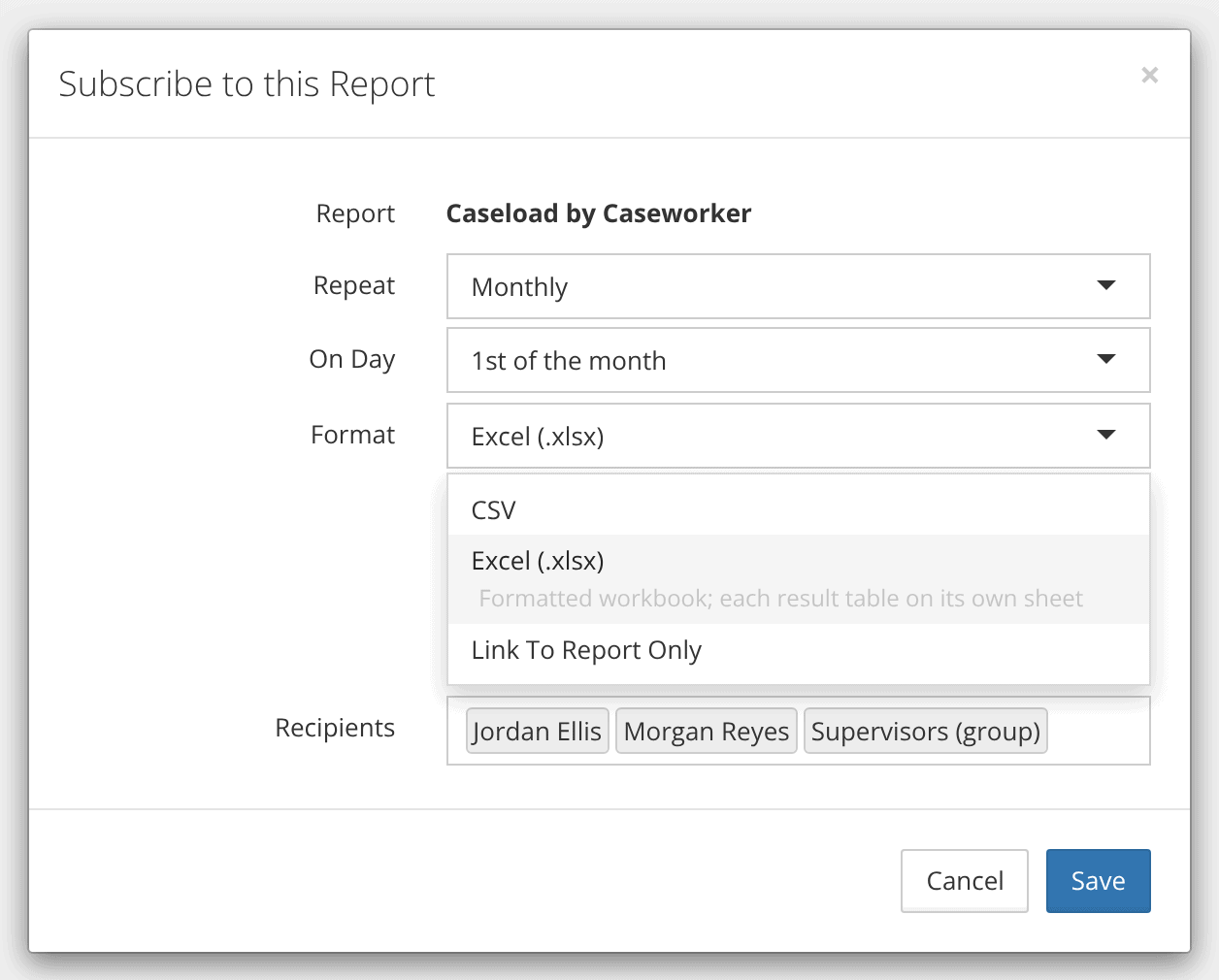
Scheduled report subscriptions can now be delivered as Excel (.xlsx) files, the same output you get when you run a report on demand.
Dates, IDs and formatting stay intact, and reports with more than one result table arrive with each table on its own sheet.
Existing subscriptions keep their current format.
Program categories for grant and state reporting
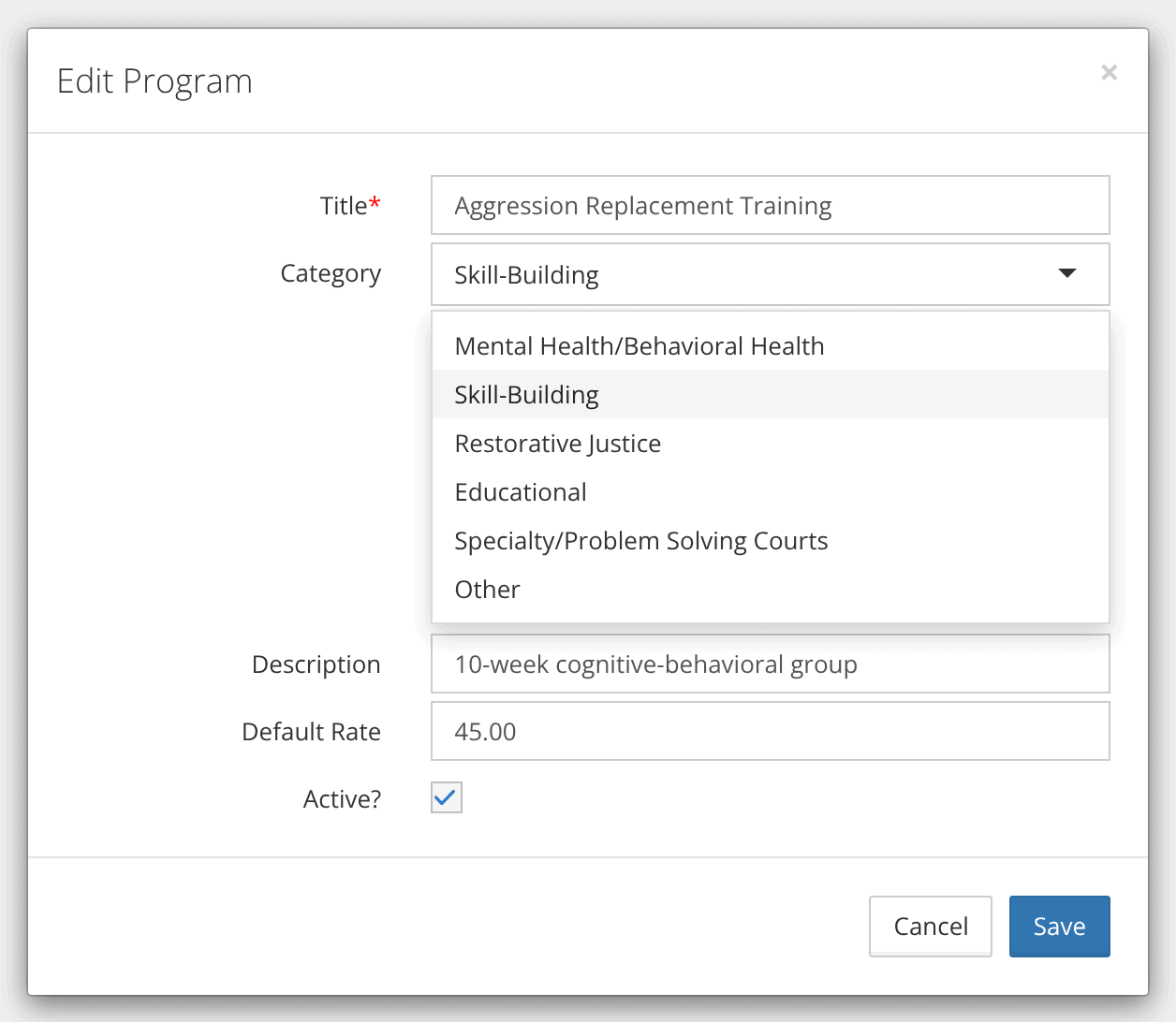
Programs can now be assigned a category: Mental Health/Behavioral Health, Skill-Building, Restorative Justice, Educational, Specialty/Problem Solving Courts or Other.
A new Program “Category” field on all eight program placement data sources lets you answer questions like “how many youth did we place in skill-building programs this year?” without regrouping program names in a spreadsheet.
Existing programs start uncategorized so you can tell what still needs a look.
More from October
- Current attorneys in reports. A Current Attorney(s) field is now available on program placement and court case data sources, so attorney information can sit right next to placement and caseload details.
- Petitions: attachments and comments. Petitions now have Attachments and Comments sections, like other records in YouthCenter.
- Physical placements before intake. The intake date on a physical placement is now optional, so a pending referral can be recorded more easily. Pending placements show as a striped bar on the placement timeline.
- MJJAS-DET updated. The Detention Tool now includes the Interview Guide questions, the youth Self-Report and an Overall Impressions field to match the current official document. Scoring is unchanged.
- “Mugshot” is now “Client Image.” Customers told us the old term didn’t fit the youth-centered work they do, so user-facing labels now say Client Image.
- Strengths in assessment summaries. Assessment domains that record strengths but have no scored items now appear on response summaries and charts.
- Better on phones. On iPhone, fields no longer stay zoomed in after you finish typing, and the menu stays pinned to the top as you scroll.
- Fixes and polish. Report date columns show the correct day regardless of time zone, assessment strength and risk icons print in PDFs, Word export tokens resolve correctly, and client imports handle problem rows without stopping the whole batch.
Questions?
As always, if you’d like a walkthrough of any of these features or help turning one on for your site, reach out to our support team. We’d love to hear how you’re using them. And remember: legacy YouthCenter turns off on November 16.